
Problem :
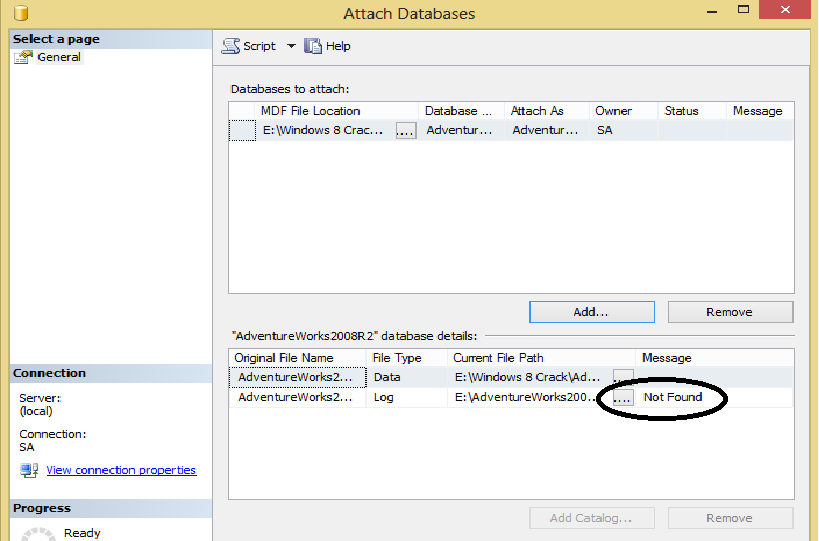
When I download Database Adventure Work I see it MDF file only ok but now how can I attach this database without LDF file . SQL Server give me ERROR

Solution :
to fix this error and install the database on the production we will create the LDF file by this script .
Create Database AdventureWorks2008R2
ON (FILENAME=‘E:\AdventureWorks2008R2_Data.mdf’)
FOR ATTACH_REBUILD_LOG
by this Script I Create Database AdventureWorks2008R2 and put the File name for the MDF file the ( Full path ) then I make REBUILD for the LOG by this Command (ATTACH_REBUILD_LOG)
Now after you EXCE this Query Check the path of the MDF file you will see the new File LDF for the database adventure work also you check the Databases on SQL Server management studio you will find the Database ADVENTUREWORK2008R2
Regards ,
Eng. Mustafa Elmasry
Database Administrator

 DB Cloud TECH