Transactional Replication in SQL Server 2008R2


introduction

Today I will Explain How to Configure Replication With Replication type Transactional Replication then in another posts I will exaplain all Replication type and

How to manage the replication ,

how to manage the Replication Agent ,

How to monitor the replication ,

Hot to Check the Replication performance

Transactional Replication

in this Demo I install 2 virtual machine and 3 SQL Server instance

Virtual Machine : SQL-PC (Windows Server 2008R2 Enterprise Edition) With SQL Server (Default instance)

Virtual Machine : SQL2-PC (Windows Server 2008R2 Enterprise Edition) With SQL Server (Default instance , Named Instance = WitnessServer)

I will partition this Subject to three type :

1- How to install the Distribution Server. (SQL-PC)

2- How to install the Publication Server. (SQL-PC)

2- How to install the Subscription Server. (SQL2-PC)

How to install the Distribution Server

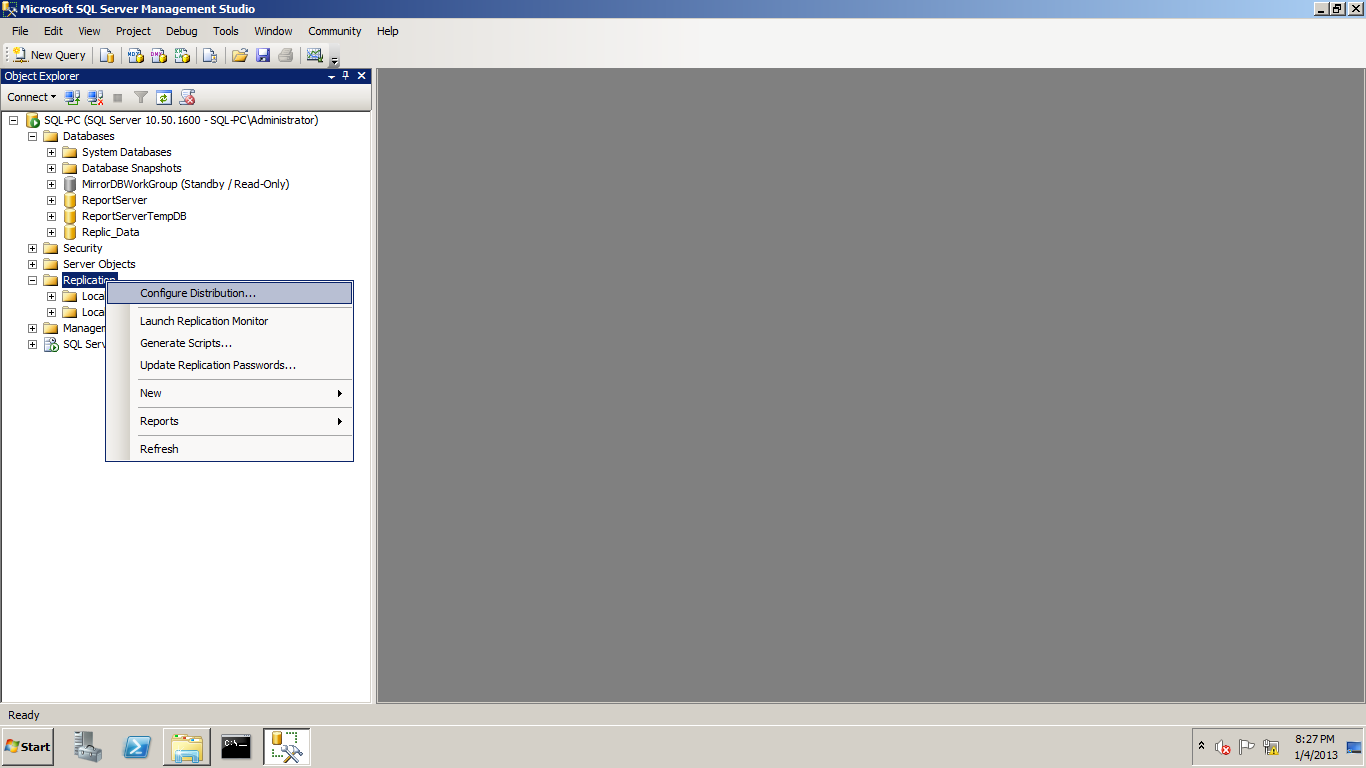
1- on machine Name SQL-PC open SQl Server Instance name SQL-PC Write Click on Replication then Select Configure Distribution
2- Select the Distributor Server : First option if you want SQL-PC is the Distributor Server .Second option if you won’t to Add another Distributor Server .

replic_2

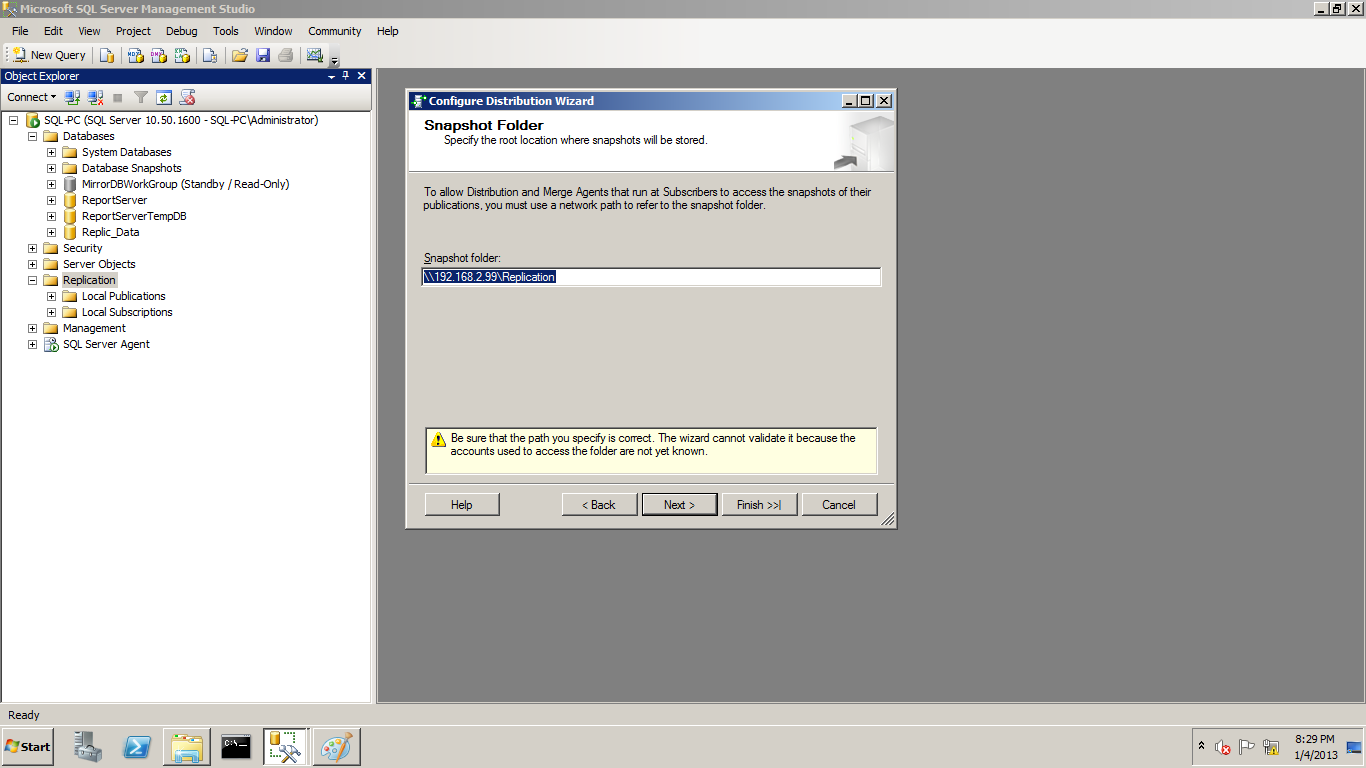
3- Enter the Snapshot Folder : in this Step Create Folder in make it Share then take the Network path of this Folder and put it in the Snapshot folder path
replic_3

4- Create the distribution Database : this Database will be under the System Database like the master database

Replic_4

5- Select the Publisher Server : in this step you can add more than one Publisher Server but in my demo I will Add SQL-PC is publisherRepic_5

6- Finish the Configuration by Select between (Configure Wizard  & Create T-SQL)

Replic_6

7-Configuration Distribution Complete successfully

replic_7

8- Check the Distribution Database under the System Database

How to install the Publication Server

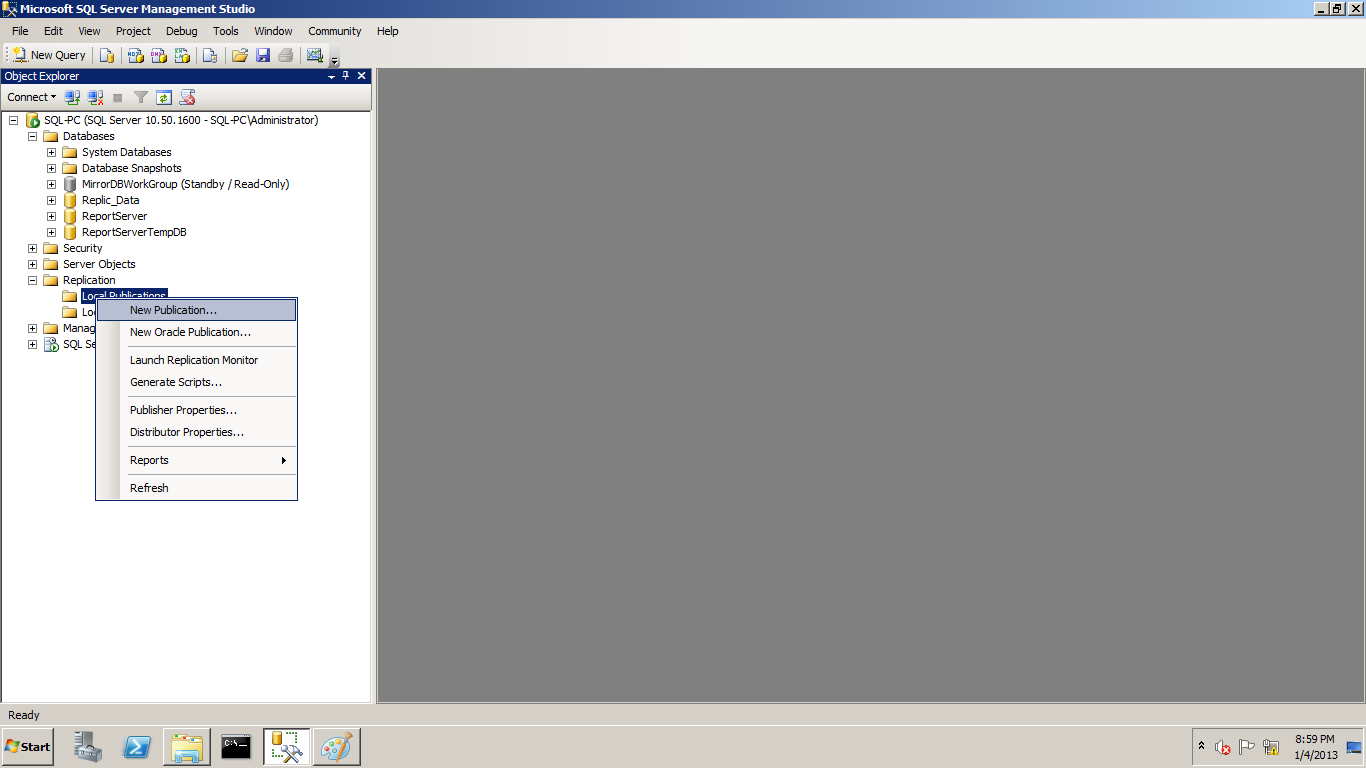
1- on machine Name SQL-PC open SQl Server Instance name SQL-PC Under Replication Select Load Publication the Wrote Click on it the Select New Publication
Replic_9

2-ٍSelect the publication Database

Replic_10

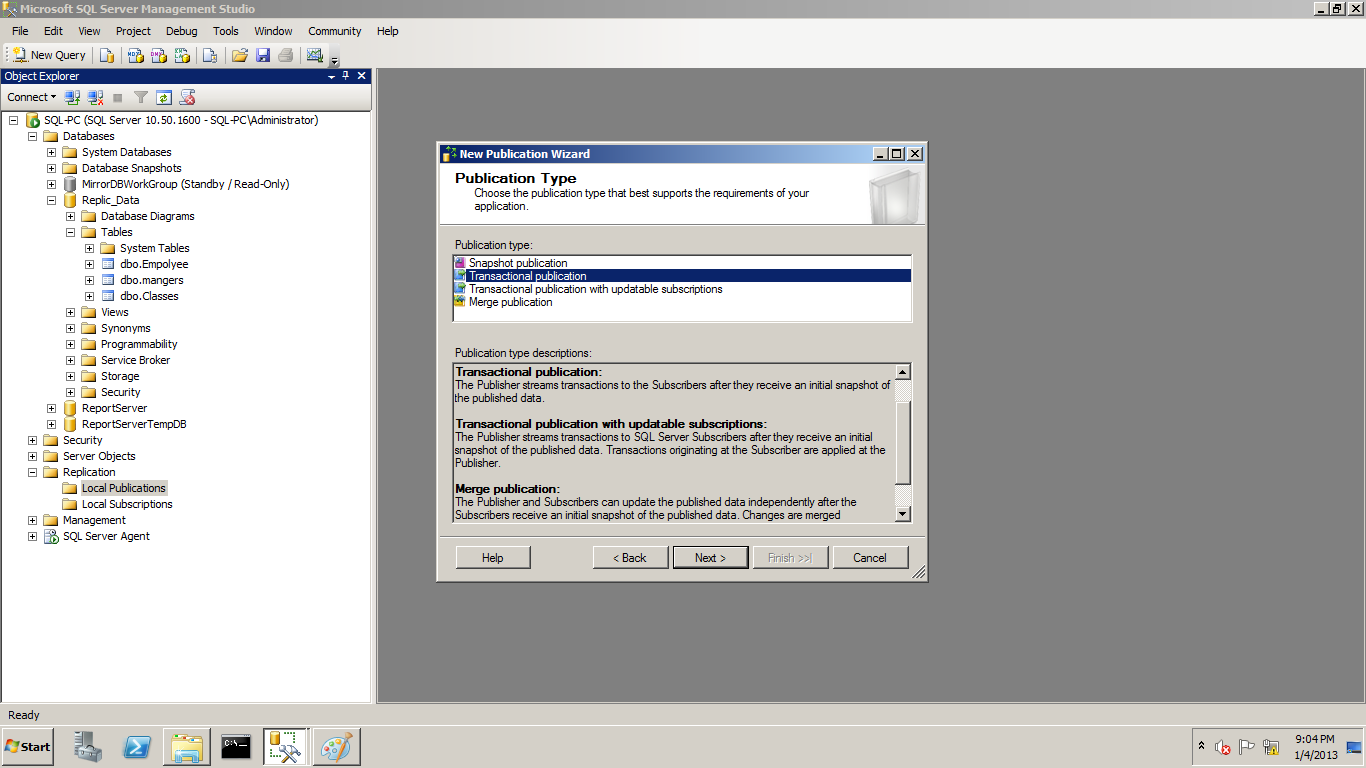
 3- Select the Publication Type

Replic_11

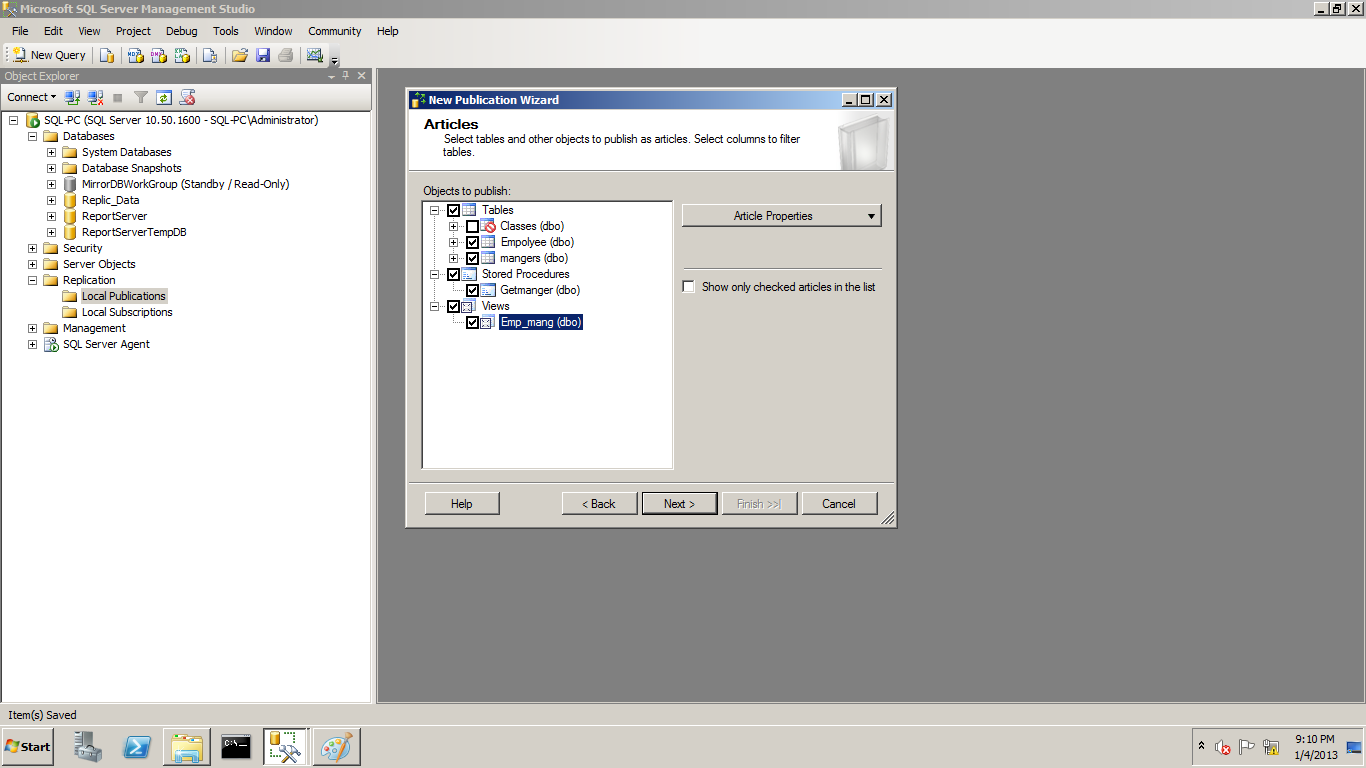
4-Select the object to publish it (Table , View , Stored , other objects)
Replic_12

5- if you have table in this table don’t have Primary ley you can’t publish it like this table

Replic_13

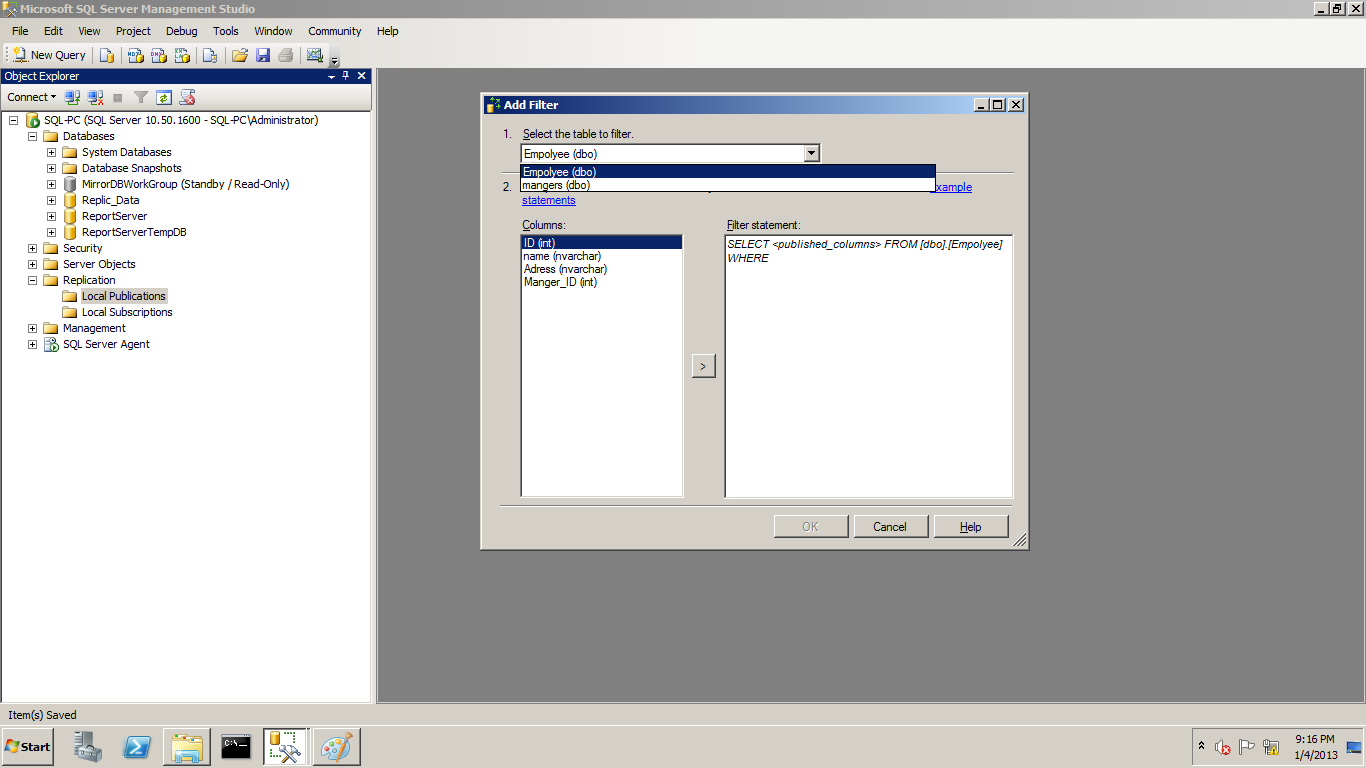
6- if you won’t to add filter on this table

Replic_15

Replic_16

7- Configure the snapshot agent

Replic_17

8- Add the user for the Agent Security

Replic_18

Replic_19

9-Write Name to Publication

Replic_20

10- Check now your new Publication

Replic_21

How to install the Subscription Server

Now let’s to Connect to another Server (SQL2-PC) to install the Subscription on two Instance

  • SQL2-PC
  • SQL-PC\WitnessServer

1- under Replication Select Load Subscription

Replic_22

2-  Selet the Publication Server

Replic23

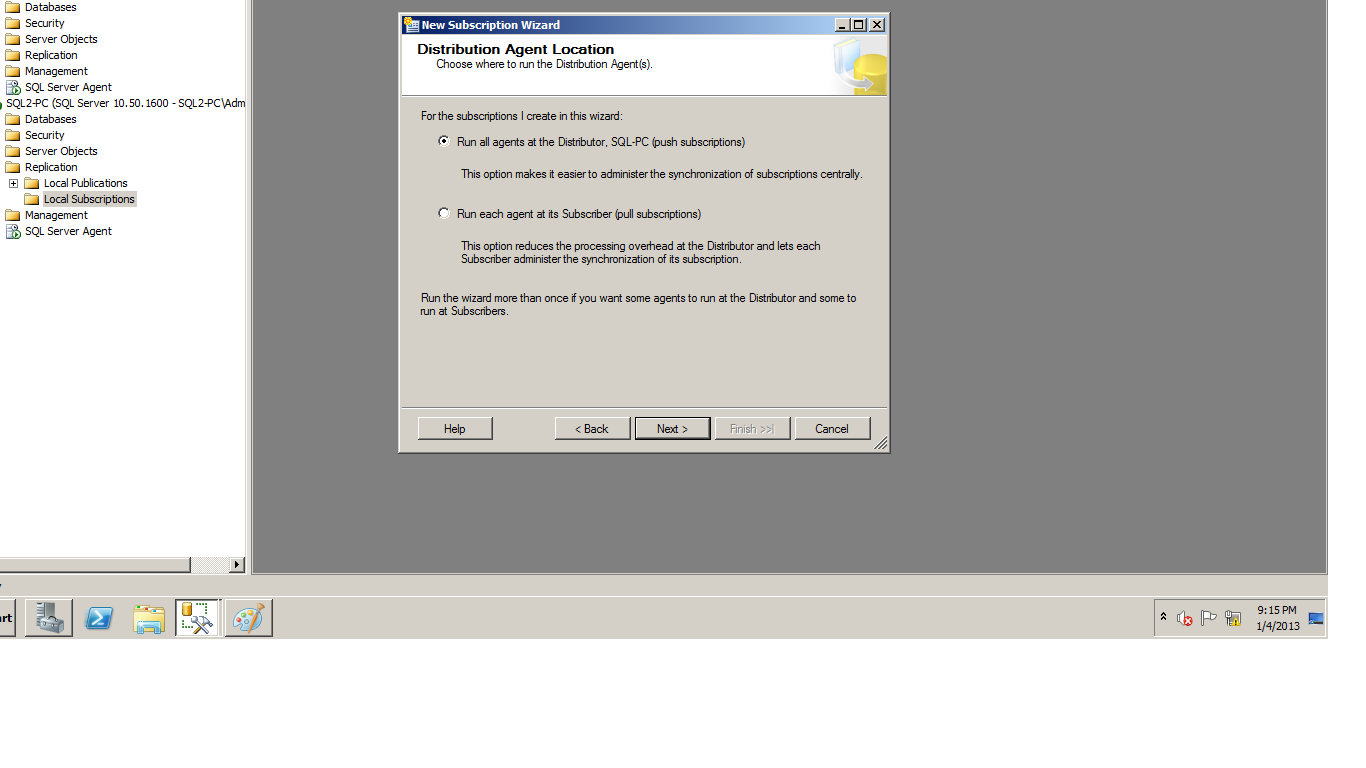
3- Select Server name to run the Agent (run on Distributor Server SQL_PC) or run it on Subscription Server
Replic_24

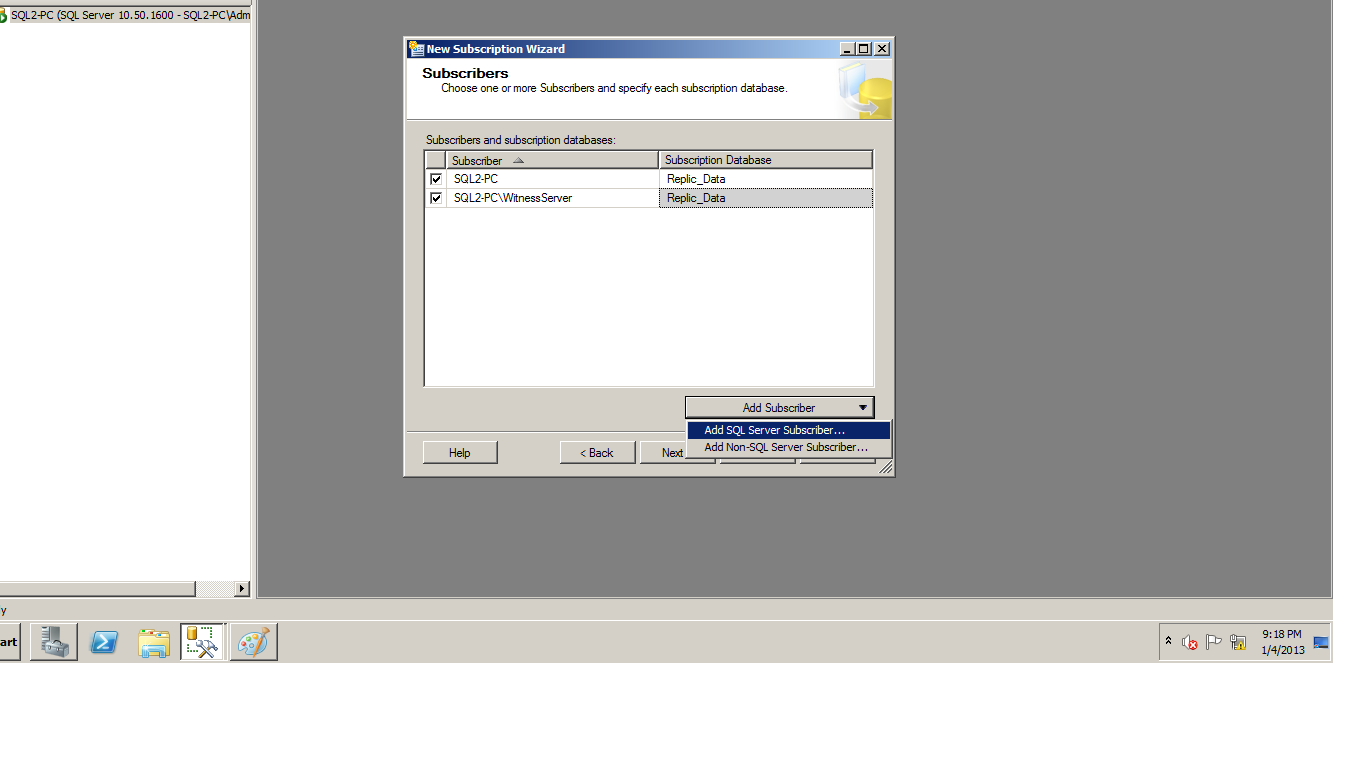
4- Select the Subscription Server and add the Subscription Database
Replic_27

5- Add another Subscription Server (SQL2-PC\WitnessServer

Replic_25

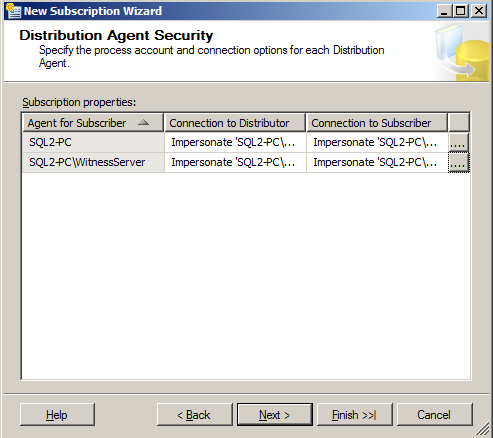
6- Configure the Distribution Agent Secuirty Add the User name Agent
Replic_29

7- Synchronize Schedule

replic_30

8- ieinitialize Subscription

Replic_31

Now after this step you now finish the Configuration for SQL Server Transaction Replication .

Open SQL Server (SQL-PC) Publication then try to Edit any data in the Publication Database in table or View or Stored we Selected it on the Article and go to the Subscription Servers to Check this Data is transferred or no

Wait for me in another Replication posts

Regards ,

Mostafa Elmasry

Replication Overview


1- What is SQL Replication?

SQL replication is a technology designed to allow storing identical data in multiple locations. First lets examine why replication may be useful and how it solves common data distribution problems. There are several classical examples in which SQL replication solves business problems. One of the most popular ones is the case when a business has mobile employees, who need to access data from their portable computers while they are away from they office. Another example is when the workforce of a business is distributed around the world and all employees need to access one and the same set of data, but network connectivity has poor quality. In both the above examples using SQL replication is the right thing to do. Replication is used in many other scenarios as well for example as a backup solution, and for offloading database intensive processing like reporting and data mining from main live databases.

2- Types of SQL Replication:

  • Snapshot replication

The publisher simply takes a snapshot of the entire replicated database and shares it with the subscribers.  Of course, this is a very time and resource-intensive process.  For this reason, most administrators don’t use snapshot replication on a recurring basis for databases that change frequently

  • Transactional replication

With transactional replication, the replication agent monitors the publisher for changes to the database and transmits those changes to the subscribers.  This transmission can take place immediately or on a periodic basis.

  • Merge replication

Merge replication, like transactional replication, typically starts with a snapshot of the publication database objects and data. Subsequent data changes and schema modifications made at the Publisher and Subscribers are tracked with triggers. The Subscriber synchronizes with the Publisher when connected to the network and exchanges all rows that have changed between the Publisher and Subscriber since the last time synchronization occurred.

3- Replication Overview

  • Publisher

Publisher Is database instance that’ allowed the Replicate data to the Subscribers Databases instances Publisher can sent to one or more Subscriber Database

  • Distributor

The Distributor is a database instance that acts as a store for replication specific data associated with one or more Publishers The distribution database stores replication status data, metadata about the publication, and, in some cases, acts as a queue for data moving from the Publisher to the Subscribers

  • Subscribers

A Subscriber is a database instance that receives replicated data. A Subscriber can receive data from multiple Publishers and publications. Depending on the type of replication chosen, the Subscriber can also pass data changes back to the Publisher or republish the data to other Subscribers.

  • Article

database object that is included in a publication this Publication Contain difference type like (table , View , Stored ).

********************************************************************************************************************************

I hope that this will be useful topic

Regards

Mostafa Elmasry

References

http://technet.microsoft.com/en-us/library/ms151314(v=sql.105).aspx