Connect With windows authentication Between 2 SQL Instance in 2 PC in Workgroup


Problem

How Can I Connect With windows authentication from SQL Server instance in PC name (SQL-PC) to another SQl Server instance in Another PC name (SQL2-PC) although this two PC in Workgroup not in Domain  ?????

Solution

It’s very Easy on PC no 1 Create Windows User name Admin With password 123 for Example then Go to the another Server PC no 2 then Create Windows user Name Admin With same password 123

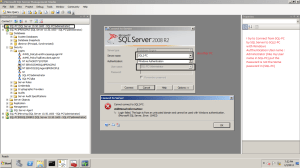
then Add this user in SQl Server instance in PC no 1 and PC no 2  the Try to Connect Form PC no1 to PC no 2 By SQL Server it Will be Connect Direct  but if you Change the User name or the password in any PC SQL Server will give you Error

Connected

Connected

Not Connected

Not Connected

Log Shipping in SQL Server 2008R2 Step by Step


Introudaction

SQL Server Log Shipping Allow to Transfare Data Form one Database  (Primary) to a lot of Database (Secondry) So in Log Shipping we have three Srrvers (Primary , Secondry (optinal) monitor ) . the Secondry Server can be More than one Database

Log shipping involves copying a database backup and subsequent transaction log backups from the primary (source) server and restoring the database and transaction log backups on one or more secondary (Stand By / Destination) servers

#######################################################################################

1-       Create Folder in Primary Server (LogShipping_Primary) aslo in Secondry Server Create Folder Name (LogShipping_Secondry) this two Folders must be sharing .

2-      Take Full and transaction log backup from the database (Log Shipping) in Primary Server.

3-      Restore this Database on Secondry Server with Stand By option.

logShippingDB after Restore

4-      On primary Server Write Click >>> properties  >>> Log Shipping n >>>> Enable log Shipping.

Enable Log Shipping

5-      Configure the backup Setting for the Transaction Log backups

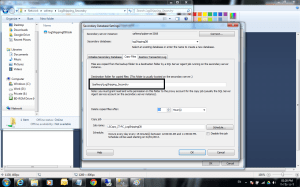
  • Network backup path Folder : the Folder name LogShipping_Primary in Primary Server put the network path for this Folder \\Servername\Foldername
  • Local path : the local path for the folder in primary Server like C:\users\DBA\Desctop\LogShipping_Primary

PrimaryServer backup path

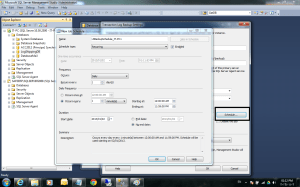
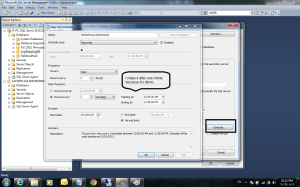
6-      Configure Sechudel job to the backup database

4

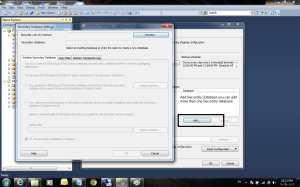
7-      Add Secondry Server

Add Secondry Server

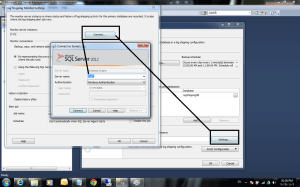
8-      Connect to Select your Secondry Server

6

Select Secondry Server

9-      Initialize Secondry Database

  • First option         : if you want to take Full backup the restore it to the Secondry Server
  • Seconde Option : If you won’t to Restore the backup from the primary Server to the Secondry Server
  • Theird option      : if you Take the backup and already restore it to the secondry server   (like my example)

8-	Initialize Secondry Database

10-      Copy files : in this tabe you will put the path of the Folder in Secondry Server put you will put it like this \\Servername\Foldername

Copy Files

10-      Configure the Sehedule to take the backup files copy from the primary server to the secondry server

10-	Configure the Sehedule to take the backup

11-      Restore transaction log : we will select Standby option and Disconnect all user in restore operation

Restore transaction log

12-      Configure the Sehedule to restore the backup taken from the primary Server

12

13-      Then ok

14-      Optinal (Check on monitor Server instance to monitor the backup Status  and the job Status  for the Jobs in primary Server and Secondry Server

Configure the Sehedule to restore the backup

14

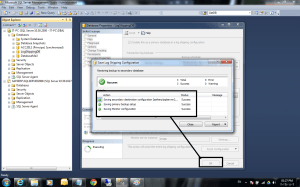
14-      last Step in Log Shiping Configuration

Finish

14-      After you finish from the Log Shipping go to the Primary Server to Check the new jobs

16

15-      Return to the Secondry Server to Check the new Jobs

17

How to monitor Database mirroring


monitor Database mirroring by SQL Management:

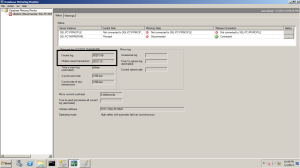
1- I will Stop mirroring Server to input transaction into Principle Server and See the log what happened in It Go to your database Mirroring in Principle Server >> Write Click >>> tasks >>>Lunch Database mirroring monitor

Database monitore

2- Create Table on Principle Server  and insert 10000 Record into New table

CREATE TABLE TEST( A INT, B INT)

DECLARE @I INT=0

WHILE @I <100000

BEGIN

INSERTINTO TEST VALUES(@I,@I)

SET @I=@I+1

END

SELECT COUNT(*) FROM TEST

T-SQL

3- now run the Script and insert the Data then let’s go to Check the monitor to See what happened

3


4

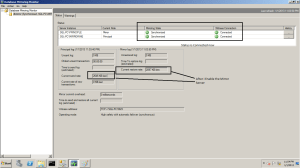
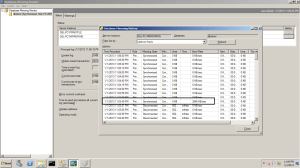
4- Then Start the mirroring Server and Check the Monitor again

5

6

*********************************************************************************************************************

Check the database mirroring information :

SELECT M.database_id , D.Name , M.mirroring_state_desc  ,

M.mirroring_role_desc,M.mirroring_partner_name , M.mirroring_partner_instance,

M.mirroring_witness_name , M.mirroring_witness_state_desc

FROM sys.database_mirroring as M inner join Sys.databases as D

on M.database_id = D.database_id

Where D.database_id > 4

7


How to add or replace database mirroring witness to an existing Mirroring Database?


After i finish my work in Database Mirroring with operation Mode (high Safty ). i explorer it will not be Automatic failover becouse this option if you need it you must configure your mirroring with operation mode (High Availability Synchonous) and this Operation Mode need 3 Servers (Principle , Mirroring , Witness) So i will Show now how to add or Replace mirroring Database Witness Server

1- Now this my mirroing operation mode it’s high safty without automatic and the witness Server not Configure

Mirroring operation mode

2- Click on Configure Secuirty after this mirroring will Ask you if you nedd to Configure Witness Server or not Select yes

Configure Witness

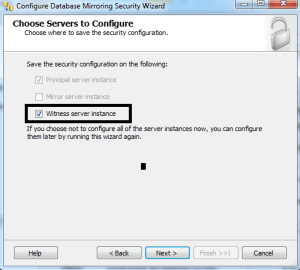
3- Check Witness Server

Check Witness Server

4- mirroring will return the principle server configuration

principle Configuration

5- Select Witness Server

Select Witness Server

6- Configure Witness Server and the port listner

Configure Witness

7- Put Services Account in my experince if you working in Workgroup and your all instance in the same windows like thie example create new user Administrator on your pc and add him in SQl Server login the use it ElSE if you use Workgroup but the SQl Servers not all in the Same pc you will use 3 Windows or 2 create Certification in your SQL Server and i will show it in the next post who to create Mirroroing With Login Certification .
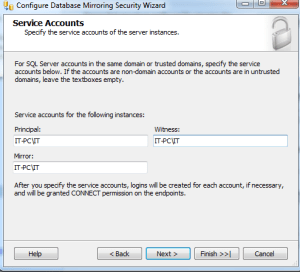
Account Services

8- After this Step Click finish No your database witness is Configured

Witness is Configuerd

Now your Configuration is Complete and if you comapre between image no 8 and image no 1 you will see the difference you will see now we have Mirroring With operation mode high safty With Automatic failover

NOTE :

in Step no 6 you will See i write the port no is 5023 but when i finish my Steps and arraive to step no 8 then click on ok i reicive this Error :

TITLE: Microsoft SQL Server Management Studio ——————————

Alter failed for Database ‘ACC2012’.  (Microsoft.SqlServer.Smo)

For help, click: http://go.microsoft.com/fwlink?ProdName=Microsoft+SQL+Server&ProdVer=11.0.3000.0+((SQL11_PCU_Main).121019-1322+)&EvtSrc=Microsoft.SqlServer.Management.Smo.ExceptionTemplates.FailedOperationExceptionText&EvtID=Alter+Database&LinkId=20476

—————————— ADDITIONAL INFORMATION:

An exception occurred while executing a Transact-SQL statement or batch. (Microsoft.SqlServer.ConnectionInfo)

——————————

The ALTER DATABASE command could not be sent to the remote server instance ‘TCP://IT-PC:5023’. The database mirroring configuration was not changed. Verify that the server is connected, and try again. (Microsoft SQL Server, Error: 1456)

For help, click: http://go.microsoft.com/fwlink?ProdName=Microsoft%20SQL%20Server&ProdVer=10.50.2500&EvtSrc=MSSQLServer&EvtID=1456&LinkId=20476

—————————— BUTTONS:

OK ——————————

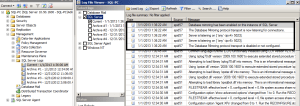
i don’t know what is error i search more and more on the internet but i don’t found good Soluation but when i checked the SQL Server log i see somthing say { SQL Server can not listen to the port No 5023 }

So i Recounfigured the mirroring again and Change the port for the Witness Server form 5023 to 5024 it’s Working now very good so before any thing or before you go to internet Please try to check :

SQL Server log

Windows Event Wiewr

This very good help to know what’s the really problem

 

HOW TO CHECK YOUR SQL SERVER MIRROING IS RUNNING OR NOT ?


HOW TO CHECK YOUR MIRROING IS RUNNING OR NOT ?

you can Check :

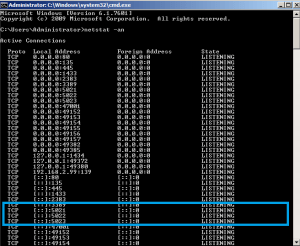
1-  port number listener : open CMD and write this Command  ” netstat -an ” you will see the 3 port for the 3 Servers Principle – mirroring – Witness also I see the 3 port because I setup the 3 SQL Server Instance in the same  Windows Server

Check port

2-  Event Viewer for Windows Server

Event Viewr

3-  SQL Server Database Log

SQl Server Log

4-  Check Endpoint Status

Check Endpoint